
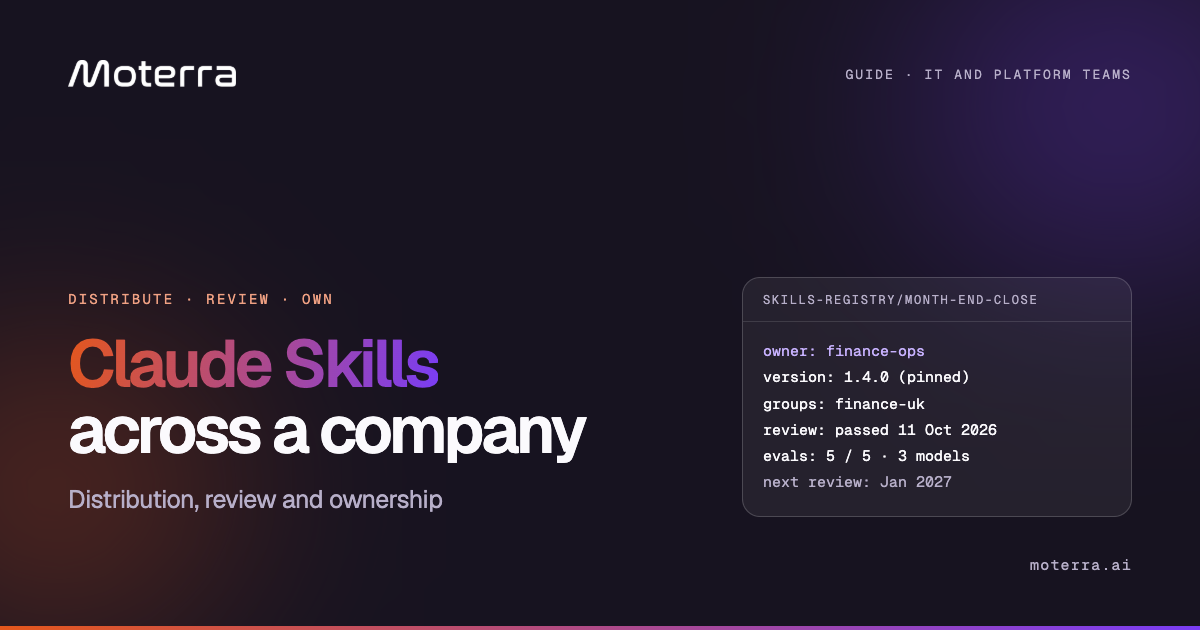
Most companies have already written down how their best work gets done: the proposal format, the month-end checklist, the incident runbook. Claude Skills turn those documents into procedures Claude follows the same way for every employee. Building one skill takes an afternoon. Running two hundred of them across a company, safely, is an operating model.
This guide is for the IT, security and platform teams who will own that operating model. If you are still choosing which skills to build, start with our guide to Claude Skills for financial institutions. This one covers how skills are distributed, how to review and test them, who owns them, how updates ship, and where the model they run against should sit.
Keep every skill in Git as the source of truth. Review it like software: read every file, sandbox its scripts, and block network calls and secrets. Test it with three to five prompts, alone and alongside the existing set. Publish it by group, not to everyone, record a named owner and version in a registry, and pin production versions. Run the model where your data rules allow, which for many regulated companies is their own AWS or Azure account.
What a skill is, and why it scales
A skill is a folder: one SKILL.md file of instructions, plus any scripts, templates and reference files the procedure needs.
The design choice that makes skills work at company scale is progressive disclosure. Claude sees only the name and description of each available skill. When a request matches, it loads the full SKILL.md, and it opens supporting files only when a step calls for them. Fifty skills cost little until one is used.
The format is also published as an open standard, so a well-written skill can move to other compatible agents. Portability is not identical behaviour, though: test a skill on every tool that will run it.
That same choice creates the main operational risk. The description is the trigger. A vague description fires on the wrong requests and steals work from neighbouring skills; a narrow one never fires. Most of the governance below exists to keep descriptions, versions and owners accurate as the set grows.
| Projects | Connectors (MCP) | Skills | |
|---|---|---|---|
| Answers | What does this team know? | Where is the data? | How is this task done here? |
| Holds | Standing instructions and documents | Permission-scoped access to live systems through MCP | A procedure, checklist, templates and scripts |
| Loaded | Inside that project | When a tool is called | Only when the task matches |
| Owned by | The team using it | IT and the system owner | The team whose procedure it is |
The five ways to distribute a skill
Pick the narrowest route that reaches the people who need the skill.
| Need | Route | Reaches |
|---|---|---|
| One approved skill for everyone | Organisation settings, Skills | All Team or Enterprise members |
| Specialist skills for a department | Organisation plugin marketplace, assigned by group | Selected Enterprise groups |
| A colleague trying a draft | Direct skill sharing | Named members |
| Optional skills people can browse | Organisation skill directory | Members who choose to install |
| Skills inside your own product | Skills API, pinned by version | Your application and workspace |
Organisation-wide provisioning is tempting because it is one click. Use it sparingly: every skill pushed to everyone competes for triggers in every conversation. Department skills belong in a plugin assigned to an identity provider group, so the finance team gets month-end close and the sales team gets proposal drafting, and neither sees the other.
Direct sharing is for drafts, and unreviewed sharing is how shadow AI starts. A skill that has been shared hand to hand for three months without review is shadow infrastructure; set a rule that anything used by more than one team moves into the reviewed route.
What the admin console covers, and what it leaves to you
Anthropic's organisation controls handle availability. Everything about content, quality and runtime is yours.
| Area | Handled in the console | Left to you |
|---|---|---|
| Who can publish | Only Organization Owners provision skills organisation-wide | Deciding who may author, and who reviews |
| Default state | Provisioned skills are on for everyone; members can switch one off for themselves | Choosing what deserves to be on by default |
| Member sharing | Owners decide whether members can share | Once organisation-wide sharing is on, member-published skills need no approval step |
| Audit | Sharing events: who shared, with whom, peer or organisation-wide | The skill contents, which audit events do not record |
| Data access | Connectors respect their own permissions | Which tools a skill may tell Claude to use |
| Surfaces | Each surface managed separately | Keeping the copies in sync |
The setting that catches most companies is member sharing. Switched on without a review route, it lets any member publish to the whole organisation. Either keep it off and route submissions through the repository, or switch it on only once the registry and review are in place. Anthropic's provisioning guide sets out the owner options.
A skill cannot reach a system the user has not already connected, but it can instruct Claude to use any tool that is connected. Govern connectors by role, so a finance skill running for a finance user only ever sees finance systems.
Skills do not sync between surfaces
A skill uploaded to one surface does not appear on the others.
Skills uploaded through the API are not available on claude.ai or in Claude Code, and the reverse is true. Claude Code also reads skills from the project repository and the user's home folder. A company using all three surfaces has three copies to keep consistent.
The fix is the same one software teams already use. Each skill is a folder in a Git repository; changes arrive as pull requests with a reviewer; a release step publishes the approved version to each surface. Nobody edits a skill in the admin console directly, because the console has no history and no review.
Building a skill employees will actually trigger
Real employees phrase requests nothing like the author did. Write for that.
Security review before anything ships
A skill can run code and call tools with the user's access. Review it like software going to production.
| What to look for | Where it shows up | Risk |
|---|---|---|
| Code execution | Bundled .py, .sh or .js files | High |
| Instruction manipulation | Directions to ignore safeguards, hide actions or behave differently on certain inputs | High |
| Tool reach | References to MCP tools beyond the skill itself | High |
| Network access | URLs, fetch, curl or requests calls | High |
| Hardcoded credentials | Keys, tokens or passwords in any file | High |
| Filesystem scope | Paths outside the skill folder, broad globs, ../ | Medium |
| Tool invocations | Instructions to run shell commands or file operations | Medium |
Claude Enterprise organisations can also turn on automated skill and plugin scanning for claude.ai and Cowork, which blocks skills that fail. It does not cover the API, skills already present before it was enabled, or organisations using customer-managed keys or zero data retention. Treat it as a second check, not a replacement for review.
Evaluation gates
A skill that passes security review can still make Claude worse. Test before release.
| Dimension | Question | Typical failure |
|---|---|---|
| Triggering | Does it fire on the right requests, and only those? | Fires on every mention of a spreadsheet |
| Isolation | Does it work on its own? | References a file that is not in the folder |
| Coexistence | Does it degrade other skills? | A broad description steals triggers |
| Instruction following | Are the steps followed? | Validation step skipped |
| Output quality | Is the result correct and usable? | Missing data or wrong format |
Following Anthropic's enterprise guidance, ask authors to submit three to five test prompts per skill: requests that should trigger it, requests that should not, and the ambiguous middle. Run them on every model the company uses, because a skill tuned on Opus can behave differently on Haiku. Keep the prompts with the skill in Git and rerun them on every change.
Ownership and the skill registry
Every skill has one named owner. Without one, it decays the day the procedure changes.
| Registry field | What it records |
|---|---|
| Purpose | The workflow the skill supports |
| Owner | The team and person who maintain it |
| Version | What is deployed now, and where |
| Dependencies | MCP servers, packages and external services it needs |
| Groups | Who receives it |
| Evaluation | Date and result of the last test run |
| Review date | When the owner next confirms it still matches the procedure |
Keep authorship and approval apart: the person who wrote a skill should not be the one who approves it. The owner sits in the business team whose procedure it is; IT owns the route to production; security owns the review standard.
Versioning, updates and rollback
Leavers, incidents and third-party updates
The skills that cause trouble are rarely the new ones. They are the ones nobody is watching.
Scaling past the first twenty skills
More skills is not better. Each one adds to the list Claude chooses from.
Recall accuracy falls as the active set grows, and API requests accept at most 20 skills each, per the Skills API documentation. Two habits keep it manageable. First, bundle by role: a sales bundle, a finance bundle, an engineering bundle, each containing only what that role uses weekly. Second, consolidate once patterns are proven, for example three narrow sales skills merged into one sales operations skill, but only when its tests match the three it replaces.
Running skills in your own cloud
The skill is identical everywhere. What changes is who processes the data it reads.
A month-end skill reads the trial balance; a contract review skill reads the contract. For companies under GDPR, DORA or sector outsourcing rules, the question a procurement review asks is where that processing happens and under whose keys.
Skills are files the client reads, so they work unchanged in Claude Desktop and Cowork pointed at Claude on Amazon Bedrock or Microsoft Foundry inside the company's own account. Model calls stay in that tenant and region; our guide to Claude Desktop on third-party platforms covers the set-up. The skill folders and plugin bundles are pushed through the device management tooling already in place, so the same Git release step that publishes to claude.ai can publish to managed devices.
Check feature eligibility as well as location. On Anthropic's API, Agent Skills and code execution are not eligible for zero data retention and are outside HIPAA readiness, according to the API data retention documentation. A skill that will touch health, payment or other special category data needs its route confirmed against the contract before it ships.
That is what Private Claude Cowork by Moterra deploys: Cowork configured against your own AWS Bedrock, MDM-managed, with no new logins. Moterra AI Bridge adds the layer this guide describes, with Cowork Plugins for distribution by group and the registry, review and logging around them.
A 90-day rollout plan
Prove three skills in one team before building a catalogue.
After ninety days the company has three owned, tested skills and, more usefully, a route that turns the next fifty into a queue rather than a free-for-all.
Frequently asked questions
How do you deploy Claude Skills to a whole team?
On Claude Team and Enterprise plans, an organisation owner can provision a skill to every member from organisation settings. Enterprise admins can also bundle skills into plugins in an organisation marketplace and assign them to identity provider groups, so each department receives only the skills it needs.
Do custom Claude Skills sync between claude.ai, Claude Code and the API?
No. A skill uploaded to the API is not available on claude.ai or in Claude Code, and the reverse is also true. Keep every skill in Git as the single source of truth and publish to each surface from there.
How should a company review a Claude skill for security?
Read every file in the skill folder, run bundled scripts in a sandbox, and check for network calls, hardcoded credentials, paths outside the skill directory, references to MCP tools and instructions that tell Claude to hide actions or ignore safeguards. Treat installing a skill like installing software on a production system.
How many Claude Skills can be active at once?
Every active skill adds its name and description to the context Claude uses to choose, so recall degrades as the set grows. API requests accept a maximum of 20 skills each. Group skills into role-based bundles and measure triggering accuracy as you add more.
How do you test a Claude skill before release?
Give each skill three to five test prompts covering when it should trigger, when it should not, and ambiguous cases. Test it alone and alongside the existing skill set, on each model the organisation uses, and check triggering, instruction following and output quality.
Who should own a Claude skill?
The team whose procedure it encodes. Each skill needs a named owner, a version, its dependencies and the date and result of its last evaluation recorded in a registry. The author should not be the reviewer.
Can Claude Skills run in a company's own AWS or Azure account?
Yes. Skills are files the client reads, so they work in Claude Desktop and Cowork configured against Claude on Amazon Bedrock or Microsoft Foundry in the company's own account. Model calls stay in that tenant and region, and the skill files are managed through the device management tooling already in place.
Does Anthropic scan Claude Skills for malicious content?
Claude Enterprise organisations can turn on skill and plugin security scanning for skills uploaded or edited in claude.ai and Cowork. Scanning does not cover the Claude API, skills already present when it was enabled, or organisations using customer-managed keys or zero data retention, so the manual review still applies.
What happens to Claude Skills when the owner leaves the company?
Removing the leaver's access does not reassign the skills they own. Add a registry check to the offboarding process, transfer each skill to a named owner in the same team after a review, and retire any skill nobody takes on.
Are Claude Skills eligible for zero data retention or HIPAA?
On Anthropic's API, Agent Skills and code execution are not eligible for zero data retention and are outside HIPAA readiness. Confirm feature eligibility against your contract before a skill processes regulated data, or run Claude in your own cloud account where your own retention rules apply.
Can Anthropic or partners change a skill we have enabled?
Yes. Anthropic-built and partner skills can be updated by their publisher. Treat them as third-party software: read change notes, rerun tests on dependent workflows, and keep a fallback.
Sources · Claude Platform Docs, Skills for enterprise · Agent Skills overview and best practices · Claude Help Center, skill and plugin scanning and organisation provisioning · API data retention · Agent Skills open standard · Checked 11 Oct 2026
 Moterra
Select Services Partner in the Claude Partner Network. Deploys Claude inside companies' own AWS and Azure tenants.
Moterra
Select Services Partner in the Claude Partner Network. Deploys Claude inside companies' own AWS and Azure tenants.